Responsive Refreshes of Keller Williams eAgentC Look Great!

Ten more agents have taken the opportunity to let BrandCo upgrade their eAgentC website given to them by Keller Williams. Their websites now have the capability to respond to being viewed in different platforms such as cell phones, tablets, laptops, and desktops. The below agents trusted the designers and developers at BrandCo to take their business to the next level with a custom solution for their website.

Glenn Allen Responsive Refresh Glenn Allen

Glenn Allen Properties of Houston is Bringing the Good Life Home. Denika helped bring this city focused design to life with the help of developer, Marc. Viewers of Glenn’s website have quick access to this agent’s mobile search app, as well as Buyer and Seller resources. The cheerful colors and bright photos really bring life to the website.


Dave Wilkinson Responsive Refresh Dave Wilkinson

Laguna Niguel native Dave Wilkinson also went with a city focused design, delivered by designer Bianca and developer Eric. Once the site loads, you’re welcomed by a beautiful landscape of southern Orange County of California. Community / price range searches and featured properties take the spotlight on their website. You are presented with housing options right away.

Roxanna Chew Responsive Refresh Roxanna Chew

What better way to envision a beautiful evening in Arizona than the image that greets you on Roxanna’s new website? Her website offers resources for both Buyers and Sellers. There is an upcoming section involving resources for Veterans, as well.


Andrew Adams Responsive RefreshAsk Andrew

Andrew Adams has a very catchy looking new website thanks to Trevor’s design and Eric’s coding abilities. The layout is super focused with great calls to action by searching for community, type, and school boundaries.


Elaine San Souci Responsive refreshTeam San Souci

Place your Home in Expert Hands with Team San Souci. This team is making use of their Desert-centric website thanks to Trevor’s design talents. They are focused on serving the Tempe, Arizona area. They are already getting a great start on their blogging to earn SEO.


Paula Henao Responsive refreshPaula Hanao

Paula’s new website has a Keller Williams focus. The design includes eight specific calls to action to help steer her clients to what they are looking for in the easiest manner possible. This is something that she will be able to maintain and can grow with her business. Another great design by Bianca.

Charlotte Trux Responsive refreshTrux Realty Team

Trevor had the pleasure of designing Charlotte Trux’s new responsive refresh for her realty team. This website sports a very nice, conservative feel.


Adiana De Anda Responsive RefreshSalida Home Consultants

Adiana De Anda came to us looking to upgrade the look of her eAgentC website. Bianca and Marc came together to make this Colorado – country design come to life.


Mike Autry Responsive RefreshMike Autry

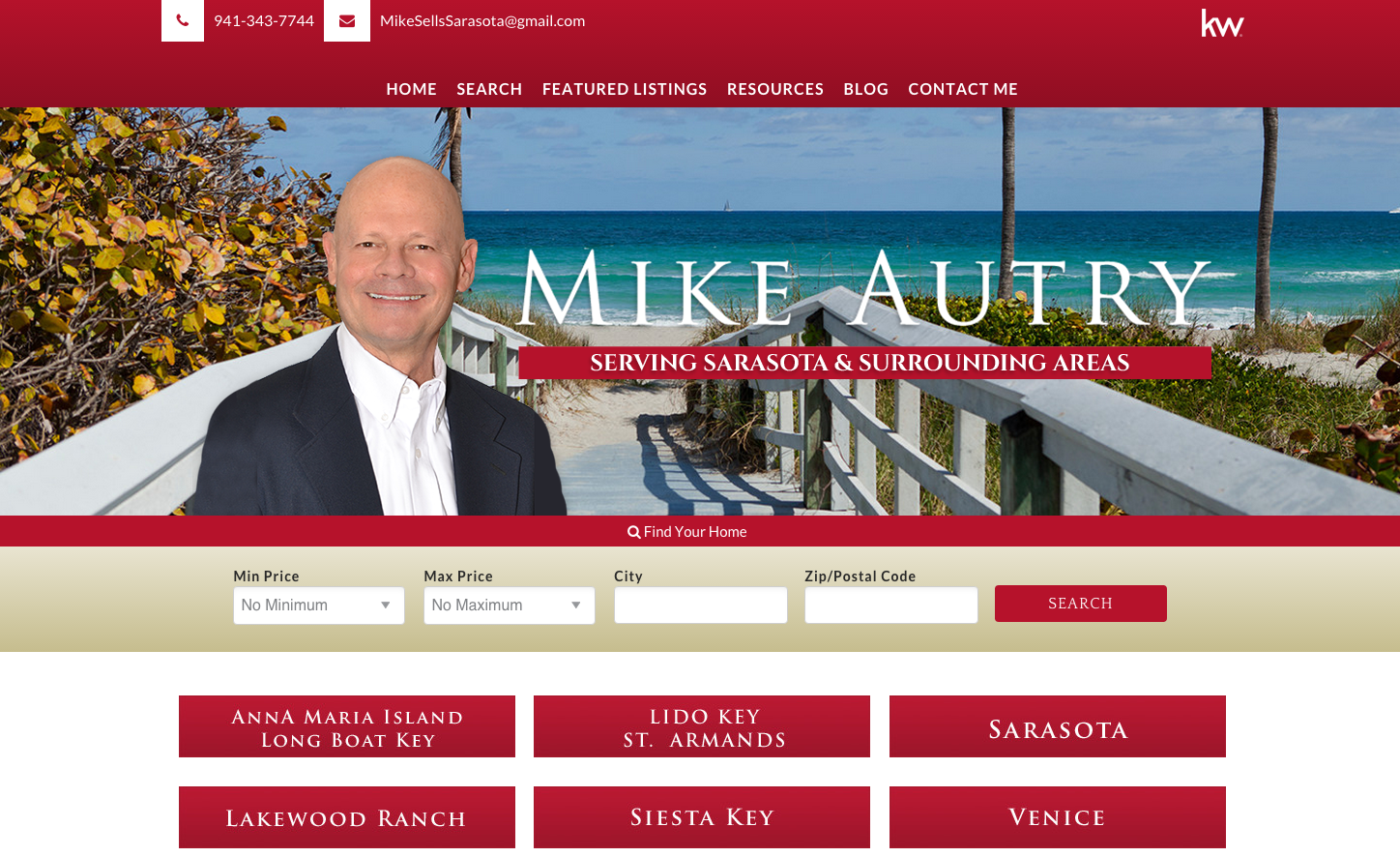
Sarasota, Florida is Mike’s main focus and the purpose of the new beach theme to his website. Once you scroll down, you are presented with six different choices of pre made searches ready for clients to get started on their home search. You can also find excellent resources for both Buyers and Sellers with nice red accents.

Ray Ortega III Responsive refreshRay Ortega III

This Phoenix – centered, new responsive refresh is full of color. The night scape that you’re welcomed with on the home screen brings on a lot of blues. I am actually a big fan of how this refresh is laid out. The calls to action lower on the site are shown off really well in circles paired with banners.


We’re so happy to get the opportunity to make the sites of our Keller Williams agents responsive. With Google showing more importance to websites that are mobile-friendly, it’s imperative to be ready for the needs of the on-the-go world. These responsive refreshes are the ticket to making the search engines work for you, especially when paired with our Piggyback Blog.

7 Rules To Follow When Choosing a Real Estate Domain!

As a company that does a lot of work with real estate agents, we are often presented with the opportunity to improve upon past domain purchased in order to help a client’s internet presence. Just because you have used a domain name for 10 years, it doesn’t necessary mean it’s the best representation of your business on the internet. Choosing a domain name shouldn’t be as easy as using just your full name or the name of your company. Put a bit more thought into it and you will see some serious results.

These guide lines will help when it comes to choosing the best domain name to give you most exposure in search engines such as Google, Bing, and Yahoo. Domain purchasing is not an exact science, sometimes you manage to just get lucky. When you’re a real estate agent, your domain can make or break you and your business in specific areas of the market.

1. Using your name means your clients have to know your name already

As tempting as it seems to purchase your first and last name as your domain name, or your company name, for that matter, it may not be the best for your business.  Granted, those domains are good to own but do not expect them to boost your exposure in search engines. Websites earn SEO one one domain and one domain only, meaning that you need to get the most mileage as possible out of the domain that you decide to represent you in those Google searches.

Not to mention, a lot of names can be spelled many different ways. Mean you need to anticipate all of the possible misspellings that your clients could use when putting your name in. Take my own name, for instance: Tracy Adams, Tracey Addams, Tracie Adams, Traycee Addam’s, all possible mess ups that I client could think of when typing in the domain to get to my company’s website…

Lastly, in order for you to ever type in my name into the search engines to even come across my website, you would first have to know who I even am. It’s important to think about all of those potential clients that you’re excluding with that thought process. Your future clients will not be looking specifically for you, they will be looking for your offer, your services, your specialties, the areas that you cover.  Want to live in North Carolina? Try www.LiveInNorthCarolina.com! Simple as that, you don’t have to know Cindy Dudley as a realtor, but you can land on her website simply by chance.

2. The shorter the better

Keeping the domain name short helps your clients remember it. The more words you string together, the less likely they will be to remember it. It’s much easier to remember a domain like SearchOrlando.com rather than trying to remember all the pieces of one like BuyYourDreamOrlandoHomeToday.com. Not to mention, the shorter domain is normally much catchier.

With so many website visitors coming from mobile sources these days, if you want someone to actually go through the effort of typing in your domain, shorter is definitely going to help you out with exposure. People are less likely to attempt to type in a really long domain name themselves, they will automatically reply on Google or Siri to give them the location through search. Then, you’re depending on your SEO to promote you.

Also, do not attempt to make your domain name shorted by using specific abbreviations that your users wouldn’t know. However, if it is something commonly used to name your area and your potential clients would know it, own it!

3. Make it easy to spell

Like I mentioned earlier when it came to utilizing legal and company names for your domain purchases, having your clients use the correct spelling is key! Looking at buying domains? Tell a friend, over the phone, the domain you’re considering and see what different combinations they come up with. Also, notice how many times you have to repeat your possible domain before it really catches with the intended audience. If the domain doesn’t pass the “phone test”, scrap the domain name and keep searching.

4. Dominate your neighborhood

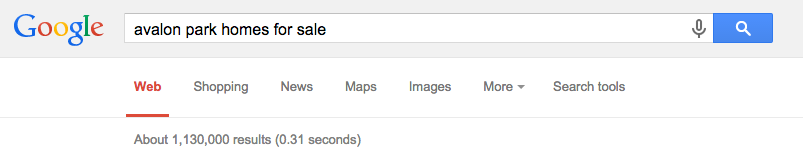
An easy way to see why this is so important is to google and see who your potential competition will be. For instance, let’s say I am a Realtor in Orlando, but I’m specialist more so in the area of Avalon Park. People that do not know about Avalon Park in the Orlando area are not very likely to find me, but then again, do they need to? No. I know my traffic. Take the two different search results below as examples:

Screen Shot 2015-07-26 at 2.35.19 PM

Versus

Screen Shot 2015-07-26 at 2.35.39 PM

The search “Orlando homes for sale” yields over 30,000,000 results, while “Avalon Park homes for sale” yields much less, at around 1,000,000. You have drastically decreased your competition in Google. Granted, one million search results is a lot…which is why it’s your job to do your part of setting yourself apart by blogging and increasing your own SEO.

5. No .com? Keep looking

Lately, domain registrars have been pushing new extensions like .realtor, .house, .rocks, and .guru, to name a few. Because .com has been the favored domain ending since the inception of the World Wide Web, as you can imagine, there has become a bit of a shortage. If the domain you want is available and it looks attractive shortened with one of these, feel free to purchase them, but I wouldn’t recommend making them the primary domain for your website. When I am personally relayed a domain name to visit, I automatically assume that it would end in .com. This is the thought process of most of the world.

If your ideal domain isn’t available in .com, consider continuing the search. If you happen to purchase the .net version of it, then you are most likely going to be sending your future traffic to someone that is very likely to be your competitor.

6. Fear the Hyphen

While having hyphens in your domain name may help these days with SEO due to each separate word being able to stand alone with more importance, they’re detrimental to marketing yourself. Can you imagine trying to communicate a domain with a hyphen between each word while over the phone? If the domain that you’re looking into isn’t available without hyphens, keep trying! If they are both available, make the one without special characters your primary and have the other forward to the same place.

7. Keywords are key

The best domains are the one that get straight to the point. It’s hard to find those golden domain names because it always seems that they’re taken, but your perfect domain is out there! Are you a luxury focused agent? Include the word luxury in your domain name like Carol Behrens did with her website: LuxuryHomesAcadiana.com. If you’re looking for luxury homes in Acadiana, then Carol is obviously going to be a viable option for your home search!

SearchOrlando.com

Check out the brand new SearchOrlando.com, Keller Williams real estate agent Steve Glose’s new website! With a slick responsive design and layout, and Wolfnet’s new 3.0 responsive search, you can search Orlando’s housing market on any device without a hitch – and that domain name is to die for!

so_image

In April 2015 Google updated their search algorithms to penalize websites that are not mobile-friendly. Using the latest in web technology, Steve is assured his website passes mobile-friendly tests with flying colors and SearchOrlando.com will be very visible to mobile users. The absolute last thing any lead-generating website needs nowadays is to be invisible to mobile and tablet users.  Studies show mobile and tablet internet users are taking over web traffic and desktops will soon be the minority.  It is imperative that websites be mobile and user-friendly and this particular one nails it!

Amazing eAgentC sites taken Responsive for the Week

Every week our development and design teams launch more and more Keller Williams eAgentC website with our new Responsive Refresh looks! These websites now successfully pass the mobile-friendly test for Google, giving them the potential to be a much more accessible website for their users and search engines.

Sold by the Prince GroupResponsive Refresh for Keller Williams eAgentC website made by BrandCo

Bianca and Eric worked together to deliver this fantastic look responsive Refresh for the Prince Group. This website offers a lot of great information straight from the menu bar. They easily feature their vendors and their hassle free home listing service. The Prince Group recently started back blogging as well and I’m happy to see such nice informal information being made available for their clients already!

Responsive Refresh for Keller Williams eAgentC website made by BrandCoACS Premier Realty

Interested in searching by community? This is an amazing website to do it. In Atlanta, Georgia, AC Shelton is featuring 16 communities that he serves most often. This makes it really easy for reader to access. You can also find some great information within his Blog about everything from Short Sales to how to Stage your home.

Responsive Refresh for Keller Williams eAgentC website made by BrandCoThe Ron Wexler Team

Ron has a luxurious kitchen scene to begin the look and feel of his website thanks to Gesenia’s creative talents. The homepage offers a nice video testimonial and short bios of the team members. Ron and his team are doing a really great job on their website and have begun adding information into their Piggyback Blog already. I’m excited to see all the great info that their clients will soon have access to!

Forth Hoyt Responsive RefreshThe Hoyt Group

The highly saturated photo that strikes you when you open The Hoyt Group’s website really sets the tone of the website centered in Folsom, California. This website makes a lot of use of video, included a playlist shown on the homepage. Piero did a great job designing this for Forth.


Dmetri Moore Responsive RefreshDmetri Moore

Dmetri Moore’s website centers on living on Lake Norman of North Carolina. Along with a beautiful shot of the lake, you are able to easily begin your home search. With three very distinct calls to action, the website isn’t long in length, but vast in focus.

Bobby Ray Combs Responsive RefreshTeam Combs

Team Combs’ luxury Responsive Refresh was designed by Tony and developed by Eric. You’re greeted by a beautifully lit luxury home in an evening setting. Bobby and Cathy work together on a team, focused on buying and selling in Vegas. They have a call to action focusing on promoting New Homes in Vegas, as well.

Bill Hess Responsive RefreshHess Home Group

Bill and Tina Hess came to us to take their eAgentC website responsive and the site looks great after its’ redesign by Denika. I love that their Testimonials page includes photos of the homes that they sold to their clients, definitely a nice touch. Not to mention, they are making great use of their blog area for adding content easily and regularly to their domain, search engines love that!

Reinna Jongert Responsive RefreshReinna-Anne Jongert

Reinna’s abstract look to her eAgentC Responsive Refresh is not common, but it really tells me a story about her! She’s beginning her true Real Estate journey and is excited to be doing everything she can to be the best agent she can. She has been blogging and her posts are very well written. Her focus is Scottsdale and North Scottsdale of Arizona. We’re happy to be part of the process to get the tools she needs to be successful!

Larry Gatti Responsive RefreshThe Gatti Real Estate Group

Larry of the Gatti Real Estate Group is ready to dive into his new website and start adding tons of content. He will soon have Community pages featuring property searches. Tony had the pleasure of designing this Keller Williams’ colors focused website for this Louisville, Kentucky agent.


Lori Gore Responsive RefreshThe Gore Group

I love the colors of the Vegas cityscape featured on The Gore Group’s website. Denika took the colors from the beautiful photo and carried them throughout the design. Main calls to action show that these realtors want you to see their featured homes, luxury homes, and luxury high rises in the Vegas area. Making it very easy for their clients to explore what they offer and more!

Each week I am more and more blown away by how amazing these websites look up against to their original eAgentC template from Keller Williams. When pulling one up, I have to “check” to make sure they’re not a custom website. Truly beautiful and functional! Worth every penny!

Using Jetpack to Connect your Blog to Social Media

On a regular basis, I hear clients ask how they can get more traffic to their website. As with anything that you want people to be exposed to, you have to being spreading the word yourself.

Word of mouth marketing through social media with Jetpack

One of the easiest ways to get exposure to your blog posts, that I have found, is by sharing all of your new posts automatically to your social media networks. Your biggest fans are already following you and liking you in these places like Facebook, Twitter, and LinkedIn, to name a few…why not give them the first opportunity to read what you’ve written in your blog?

Now, you are probably thinking that you’ve already been doing this for a long time. Usually, by coping and pasting your new post urls into statuses or tweets, but wouldn’t it be awesome to automate it? Work smarter, not harder.

JetPack is a free plugin that is available to WordPress websites that allows you to access an amazing little featured called Publicize. This feature opens up the ability to automate the broadcasting of your newly published posts to whatever profile or fan page you need to! When you connect your blog to social media, you’re giving yourself easy, simple promotion in multiple channels.

If you have a Piggyback Blog, the above video will help walk you through the steps in order to activate the Jetpack Plugin. This will require a login from WordPress.com, that will ultimately be different than your logins that have been provided for Piggyback Blogs. Don’t have one? No sweat, there’s a handy dandy button that nicely asks, “Need an account?”. Why yes, yes I do, WordPress! Thanks for asking!

It helps to be logged into all of the accounts that you are planning to connect your blog with, so that you’re not put on the spot and asked for passwords and usernames and email addresses, but, of course, this isn’t necessary.

I personally have my Google+ and Facebook connected to my personal blogs. Mostly because any statuses that I share on my Facebook fan pages already gets automatically tweeted on my Twitter account and I don’t want to end up with duplicates because of automation. Sometimes you have to make sure you’re not double-triple automating your life! #firstworldproblems right?

Lastly, here are some things to think about before putting Jetpack’s Publicize feature to work for you.

We all make mistakes, but we can help you fix themBe sure that you’re ready for your posts to be broadcasted out to your social media networks. The last thing you want is to still be playing around with how things are formatted and the last thing you know, your published posts called “Test Test” gets sent out to your Facebook. It’s just a little embarrassing (especially when you have a lot of followers and you don’t catch the fact that it happened for a few days).

There are a lot of ways to style how that Facebook or Twitter blast comes from your blog, I’ll go into this more in depth when I start getting down the to the nitty gritty of the SEO Yoast Plugin. But, until then, it will usually display the first photo it finds on your website and add it as your featured image on your link that you post to social media, along with the first bit of your post’s text as the content of the status update.

And finally, Feel free to sponsor a good blog post on social media, help market yourself and your hard work by letting more and more people find your information. Become that source of information that people want!

Connect your blog to social media and let your friends and fans be your first readers and your promoters!

If you have any questions on how to use this plugin, please let us know and we’d love to help out! Just comment below!

Spirit Week 2015 All Wrapped Up

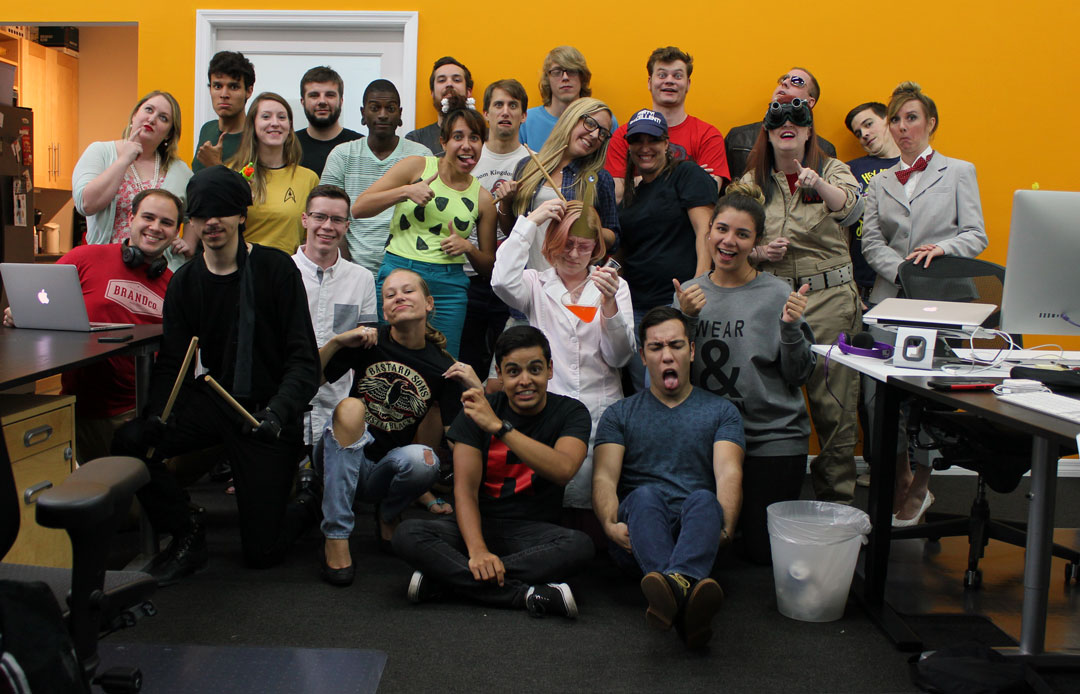
BrandCo. celebrated it’s 16th birthday and brought it back with another awesome Spirit Week. See below of each day’s festivities and for the low down on the get-ups, grub, and beverages that we enjoyed each day.

MIMOSA MONDAY – June 8th

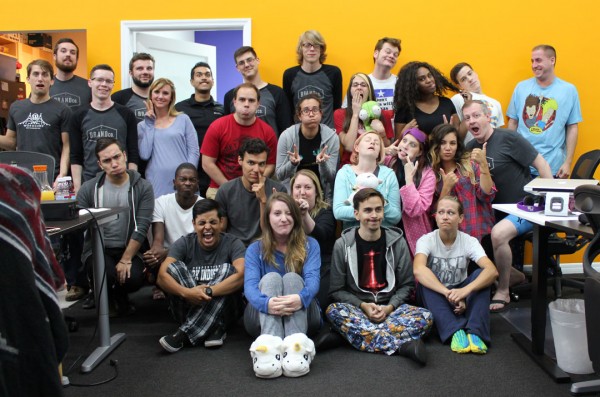
PJDay We started off the week off in our pajamas and slippers! To make the beginning of the week even better, a healthy glass or two of some champagne-spiked Vitamin C in the morning was provided. The breakfast of Champions! The office was filled with very comfy co workers sporting their pjs, squeaking around in some of the coolest slippers around.

TAWKWARD TUESDAY – June 9th

TawkwardTuesdayOn Tuesday, we dusted off that hideous sweater our Grandma gave us that we’ve been itchin’ to have an excuse to wear. Some even sported their latest Goodwill monstrosity. We’re talking patterns on patterns! We also had to take advantage of of our amazing outfits by doing a couple of “awkward” prom/family style photos. Lunch was happily catered in by Tijuana Flats! Why? Because purple.


WE’LL NEVER GROW UP WEDNESDAY – June 10th

NeverGrowUpWednesdayFor the Hump Day of Spirit Week, our team decided that never wanted to grow up. We played dress up as our favorite television characters, like Pebbles or Ghostbusters. We had everything show up that day, including PeeWee, the Fonz, Wayne & Garth, a Trekkie, Daredevil, and many more! This day we also enjoyed enjoy a super delicious ice cream social.


FLORIDIAN TRANSPLANT THURSDAY – June 11th

TransplantDaySnowbirds, Foreigners, Spring breakers. We love to hate on them as Floridians living in one of the best places to vacation in the world.  For Thursday, we broke out the lawn chairs and the Hawaiian shirts (not to mention those fashionable fanny packs!) and devoured some yummy BBQ catered in from Cecil’s.


BYOBCo. AND CAKE, CAKE, CAKE FRIDAY – June 12th

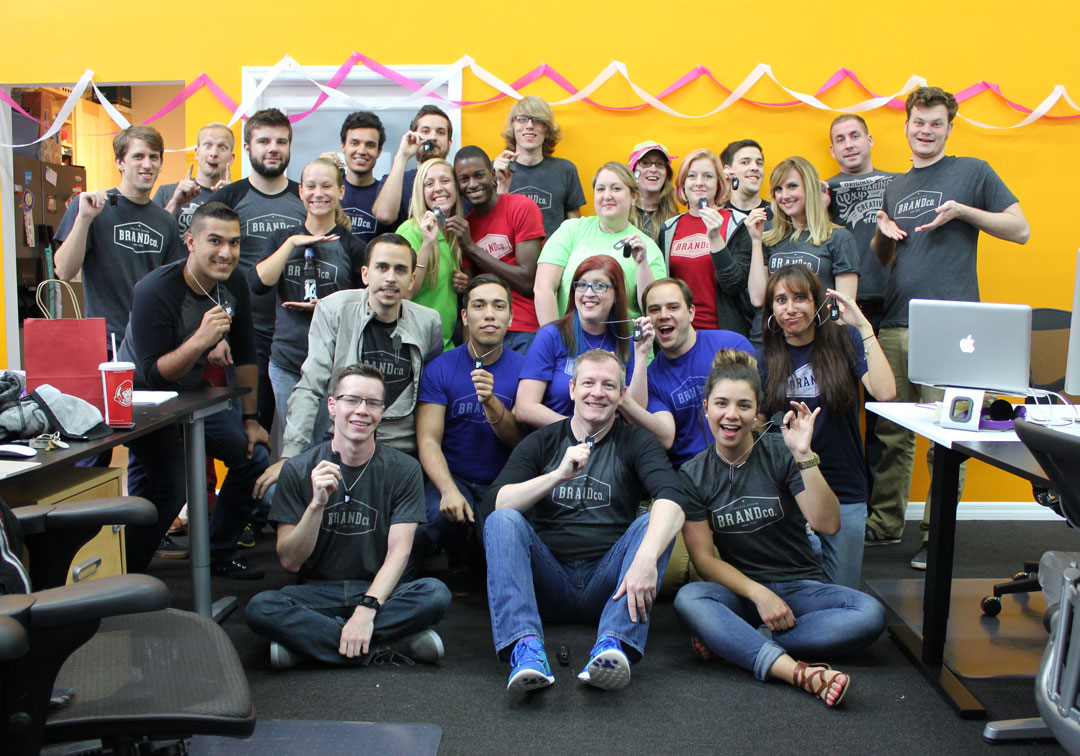
BCoDayFor the last day of Sprit Week, we happily sported those ever classy BCo tees! We celebrated the day with a great gift back provided by our Party Planning Committee that included one-of-a-kind BrandCo dog tags personalized for each team member – including their position name and hire date! No true Birthday celebration is complete without cake and this one was ON POINT! What a great way to finish out the week!


Following Spirit week, we took time out of the day for the Party Planning Committee to present the entire company with awards and superlatives. You can see the full list of all given out by clicking here!

Spirit Week 2015 Team Superlatives

IMG_8259Below is the list of all the awards and superlatives that were awarded within our team. As with each year’s Spirit Week, we take time to turn the focus on our awesome team makes and capitalize on the moment by highlighting their strengths and characteristics, and to just have an all around good time with each other.

All of the awards were presented by our Party Planning Committee of Georgieanna, Gesenia, Trevor, Tony, Jessica, and Denika. During the ceremony, we all enjoyed taking park in an ice cream social. We had many different types of ice creams and ice cream sandwiches.

Best Dressed – Andrew Keel

Most Improved – Tony Ray

Most Helpful – James Estebanez

Most humorous – Emily Crane

The Ninja Award – Zenadia Martin     IMG_8267

The Creative Diction Award – Piero Rojas

Most Caffeinated – Trey Dunn

The Silent Skyper – Bryant Taylor

The Smugness Award – Jake Smith

Most Useless / Useful Trivia – Tracy Adams

Best Attention to Detail – Bianca Blue

Most Likely to Spend an entire month’s salary on Worbla – Samantha

Most Likely to be Caught Jamming – Juan Sánchez

Most Likely to be Consecutively Tardy – Georgieanna Gross    IMG_8273

Most Likely to have a Secret Identity – Max Lutz

Most Likely to Save a Kitten – Jessica Stewart

Most Likely to Drink Your Tears – Phil Geist

Most Likely to Stay Up Late and Play Video Games – Trevor Deal

Most Likely to Start a Nerf War – Eric Fraze

The Work / Life Balance Award –  James Gillentine

CREATIVE TEAM’S RUFIO –  James Gillentine

Most likely to stay late at the office and sleep in the next day   – Vincenzo Marconi

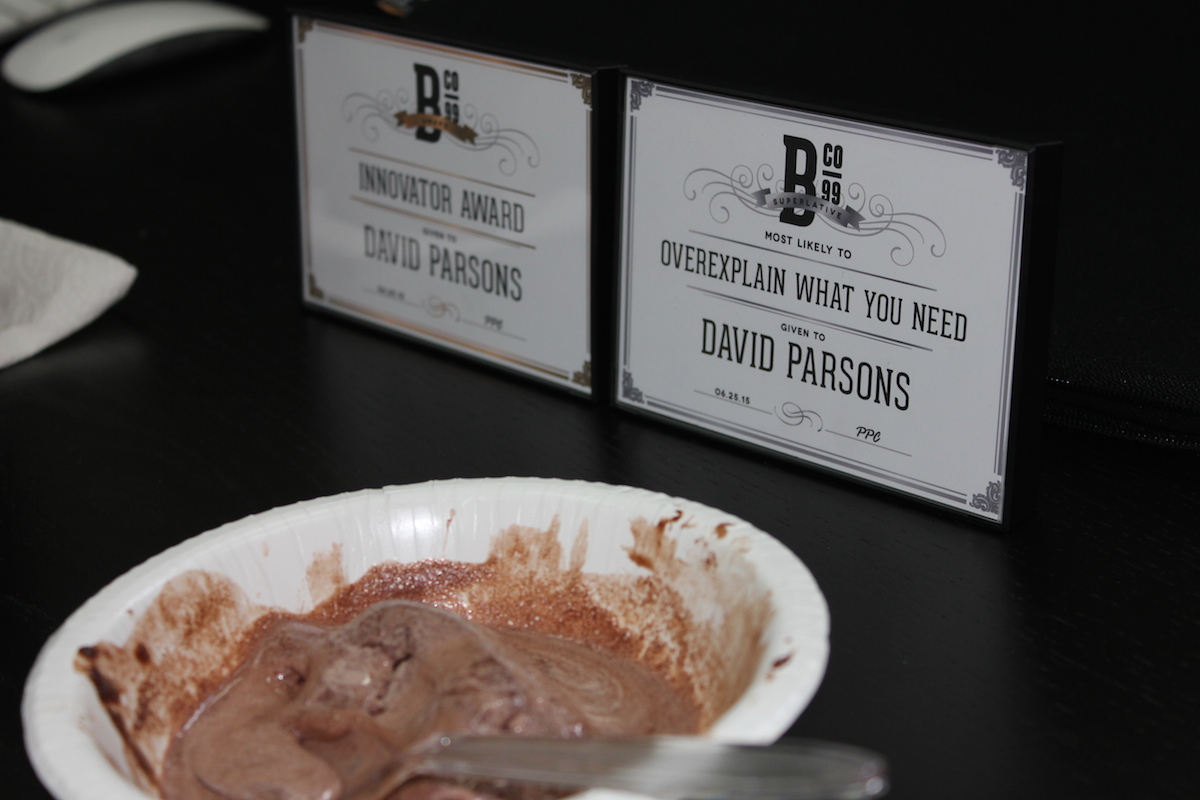
Most likely to overexplain what you need  – David ParsonsIMG_8278

Most likely to work for Stark Industries – Marc Garcia

Most likely to dress up better than you –  Gesenia Antomattey

Most likely to break out in hives – Mackenzie Rodgers

Most likely to jack your poncho – Valentina Salazar

Most likely to hate the thing you love – Denika Robbins

Peer Nominated Awards:

Innovator Award – Sam and David Someone who takes initiative in developing / brainstorming new procedures, technologies, or resources for us to continue progressing in our client communications, skills, or internal workflow.

Best-in-Show Award – James E A member of our team who is our not-so-secret weapon on the tradeshow floor. A joyous traveling companion who always has a great attitude with clients on a face-to-face basis.

Bubbly Award – Amie This one goes out to a team member who has the most positive attitude and friendly disposition. The happiest telephone voice, the best laugh, or the one who brings sunshine into the room each day with them.

IMG_8277Best New Resource – Slack Self-Explanatory, but this isn’t for an individual. This is a procedure, internal development project, or shared knowledge that has helped us grow as a team this past year. Click to learn more about Slack.

The Real MVP Award – Ken Granger

A Busy Week of Clients Getting Fresh with their New Responsive Refreshes

As all with any week here at BrandCo, we are hard at work fulfilling the goals and dreams of our clients. Whether they were past clients who upgraded their standard refresh or new clients going in head first with a responsive design from our team…eAgentC provided by Keller Williams is looking amazing!

Responsive Refresh for Keller Williams eAgentC website made by BrandCoNicole Wilbur

Nicole’s website designed by Tony definitely had its mobile users in mind. While using the KW colors, there are definitely some flairs used in there that are nothing but Nicole. Im  a big fan of the lower area of links that help her clients find what they’re looking for with ease.

Responsive Refresh for Keller Williams eAgentC website made by BrandCoThe Kellie Olson Team

Keller Williams red is abundant in this responsive redesign Denika made for Kellie Olson. The calls to action on this website are very apparent and available to visitors right away. I especially love the incorporation of the heart design throughout.


Responsive Refresh for Keller Williams eAgentC website made by BrandCo

Sold By Myers

David Myers trusted Piero with the refresh of his Keller Williams eAgentC website. Using those warm Arizona tones, he was able to create a very traditional look for this real estate agent.


Responsive Refresh for Keller Williams eAgentC website made by BrandCoAllison Ziefert

As Allison has been an avid user of her Piggyback Blog since 2013, a responsive refresh by Samantha is going to greatly benefit her in search engines. The design has her two focused communities front and center for her valued clients to browse. Modern and Fresh!

Responsive Refresh for Keller Williams eAgentC website made by BrandCoAnthony Bolling

We do not commonly refresh commercial websites, but it is always nice mixing things up when we do. Anthony teamed up with Denika to create a very city focused design. The website itself is full of helpful information including videos and direct links to community searches.

Responsive Refresh for Keller Williams eAgentC website made by BrandCoJanice Fancher

This Luxury design for Janice includes striking photography and patterns. From her website, users can easily get linked up with websites on featured neighborhoods so they can stay up to date. Having the Google Translate button in the top area of her website is going to be a benefit to any client that would require a primary language over English, too!

Responsive Refresh for Keller Williams eAgentC website made by BrandCoJames Lisowski

James’ Keller Williams centric website was brought to realization by Denika. It’s a very clean and straightforward design that focuses on both buyers and sellers. The featured image of green landscapes with a snow capped mountain in the background is striking.


Responsive Refresh for Keller Williams eAgentC website made by BrandCoBonanza Team

This website for Craig and Cynthia in Arizona is bursting with the color blue thanks to Bianca. My personal favorite thing included on this website for clients is the use of the communities area of the menu to make searching for homes really easy for those looking. They made great use of their Wolfnet WordPress plugin and Piggyback Blog to help benefit their clients.

Responsive Refresh for Keller Williams eAgentC website made by BrandCoJared Associates

Short and sweet is an excellent way to describe the newly designed website for Jared Associates that Tony made. Everything is straight to the point and easy to navigate for users. It’s quite obvious that searching for homes is the big call to action for this eAgentC site.


Responsive Refresh for Keller Williams eAgentC website made by BrandCoTamara Bourne Team

Gesenia delivered a Keller Williams red focused design for Tamara Bourne and her team. Eric developed some really fun hover effects for when your mouse touches the larger red buttons near the bottom of the page. They’ll have a real estate dictionary at a later date that will help her clients when navigating the world of realty.

Our designers and developers here at BrandCo loving getting to make these custom changes to the eAgentC website to deliver an amazing looking and functional website for our Keller Williams realtors. We’re happy to become partners with our clients, to become involved in their business to help guide them to success!

Slack isn’t for Slackers: The Switch from Skype

We’re leaving Skype behind….

Recently our team made the switch from utilizing Skype for our inter-office communications. Skype has been a staple for BrandCo since the beginning. It was an amazingly reliable chat provider, but there comes a time when you need to start getting creative with what your team has at it’s fingertips.

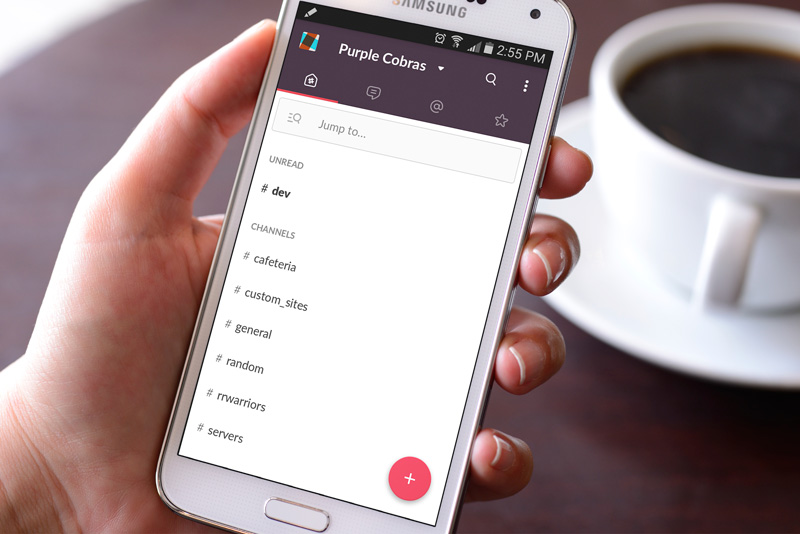
However, over the past month or so, we have been testing out the use of a chat program called Slack Screen Shot 2015-06-24 at 2.51.57 PMwithin the development team. Slack is a messaging app for teams: everything in one place, instantly searchable. When needing to inform multiple members, or the whole office about certain things, we are able to notify an entire channel rather than having to make a new chat with everyone in it over and over. You are able to search your channels, pin important information. Not to mention, the team is loving the integration of a fun plugin called Giphy, providing endless amusement with randomized gifs inserted into our conversations.

Screen Shot 2015-06-24 at 2.50.57 PMThere are so many added benefits to the messaging system such a Slack that we’re just barely even scratching the surface with our every day usage. While we have had fun implementing the Giphy attachment, we have also included the ability for Slack to keep us up to date on our Trello boards, as well. Trello is a collaboration tool that organized your projects into boards. We use this tool with many of our major processes here at BrandCo. But, the buck doesn’t stop there! Slack has over 80 integrations that you can implement into their system.

Always in motion, our members stay in contact outside of work, as well. Especially when trade show time is in action! The mobile application for Slack is sleek and easy to use. Unlike Skype, it isn’t power hungry and difficult to shut down (at least on my Android). The application for Slack is also available for download to desktop, as well as can be run web-based.

SlackforAndroid

Last but not least, it’s SAFE! All the data that passes through our regular communications is secured by encryption (256-bit AES and TLS 1.2). Now, if you don’t know what that means, it simply means that if our Slack network was hacked, all of our information would look like a bunch of gobbledy-gook to the hackers and all our information remains OUR information.

All in all, it was rather bitter sweet to delete Skype from my phone and from the my Mac’s doc, but Slack is just another necessary innovation to add to our growing team. Another amazing new piece of technology to leverage our team work and growth off of.


Site Traffic and Ways to Keep an Eye on It!

What good is a website if no one sees it? Traffic is something that every website owner desires. But, how do you know if you’re actually getting those hits and views? There are multiple companies and resources on the internet that are there to help with this. One of the most commonly known and robust would be Google Analytics, but there are many other options such as plugins like Jetpack and new companies like Clicky.

So, how do you choose?

Honestly, all of them will give you information, but the truth of the matter is, how MUCH do you really want to know? If you’re like myself and just want to know which blog posts or pages are getting views at a quick glance, JetPack is a great choice. However, there are those that want to know live stats on demand, too, and Clicky does that with ease. Others want “the sky is the limit” kind of data and Google loves to provide it. It really depends on how much you want to learn and watch. Below, I’ll discuss these three different options and how to put them into action for yourself.

Clicky: Web Time Web Analytics

The homepage of Clicky’s website definitely goes into detail about all of the special features that they offer. Everything on this analytic provider is real time. Meaning, if it is really important for you to know what is happening on your at-that-present-moment, Click is your service! If you’re running a specific promotion, or challenging your followers on social media to click to a specific page, you can see how many are on your page at that moment and have been there…just having to wait for a refresh time to come by before your analytics data will update to give you more accurate readings.

Another thing that I enjoy about Clicky (while there are many) is their ability to view Heatmaps. Essentially, this will show you where cursors land the most often on your website. Not only that, but you can set a specific goal that you want to track Heatmaps for and they are all capture in real time and can be viewed as individual visits.

I urge you to look into Clicky and seeing what all they have to offer. Also, put it on your website and give it a test run for yourself. Most of these analytics are free or will offer full versions as trials. Hooking up Clicky is actually very simple. If you have a custom WordPress website, you can simply install the Click plugin and put in your ID and you’re good to go. If you are wanting to use Clicky to track your Keller Williams eAgentC website, it’s as easy as adding the HTML code that Clicky gives you to your 1.5 area under the Source area of the Disclaimer. Need help with this? Let us know and we can assist however we can!

Jetpack: Stats

Jetpack is a multifaceted plugin that is offered by WordPress.com for all installations of WordPress, including Piggyback Blogs. While, Jetpack includes MANY different features, we’re only going to discuss the ability to view site stats. Jetpack from WordPress.com makes the most popular stats very easy to understand with a straight forward interface.

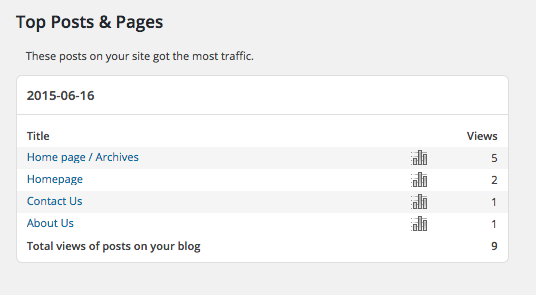
Jetpack Site Stats analytics screenshotWhen you download/activate the Jetpack Plugin and connect it with WordPress.com (which usually requires a different set of logins than what you use to log into your website) the ability to view your post and page views is automatically enabled. Another thing to make note of with this plugin, however, that is only available for custom sites that run off of the WordPress platform.

If you are wanting to track stats on your eAgentC website, this unfortunately will not be the option for you. Jetpack will only track visits of pages and posts within WordPress. However, if you have Piggyback Jetpack Site Stats analytics screenshot site traffic by page or postBlogs, you know that what you do on your blog is what will impact your Search Engine Optimization. To most, the visits on your Piggyback Blog will matter more than your visits on your eAgentC website.

For custom WordPress site users, this plugin is a given. I personally use it with all of my own websites, along with the mobile WordPress application and love that I will also get notifications when my website is “booming” and, frankly, that’s exciting! It’s a great option to utilize and even if you pair it with the other two options, then go for it…there’s no such thing as too much data!

Google Analytics

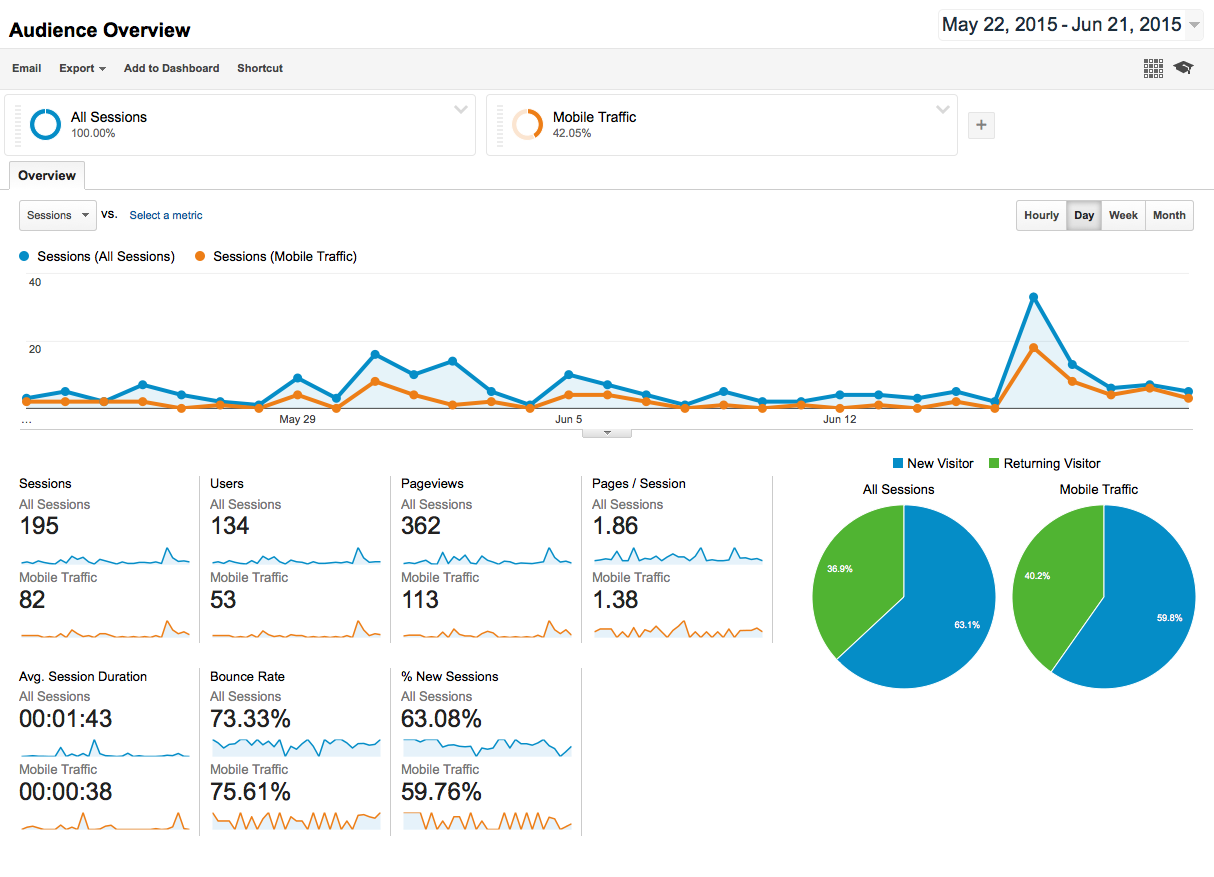
The King of the Hill, Google, of course has a solution for gathering and viewing all the information from your website. As with everything from Google, it can be massive and will have a bit of a learning curve in Google Analytics screenshot site trafficorder to understand how to navigate something so robust. I have left this to the end of this post mostly because I even feel overwhelmed by it, but that is 100% because I haven’t really invested the time to explore.

Through Google Analytics, you can discover if you have more viewers visiting your site from Internet Explorer versus Chrome, or if you have mostly Mobile visits versus desktop. Also, You can gather what search terms your visitors are finding you by or from where they are coming from. You are able to set up specific alarms to let you know when you hit certain metrics. Another added value to Google Analytics is that they also offer a mobile application in order to view your stats on-the-go.

Google Analytics can be added in very easily to a custom website by plugin, HTML, or meta tags that are given to you through the set up process. Essentially, everything is tracked through a UA code that you are provided. That same code can be used on an eAgentC website within section 2.4. There’s an input area that asks for that UA. Then, you would simply have to pull the code over to your Piggyback Blog by refreshing your “look”.

Let’s wrap it up

To conclude, even these three analytics providers are just the tip of the ice burg when it comes to learning from the traffic that visit your website and how you can make your site better over time. If you implement one or all of the resources listed below, you will have more power in your hands to give your readers a better experience in the long run. Knowledge is power, as they say.